



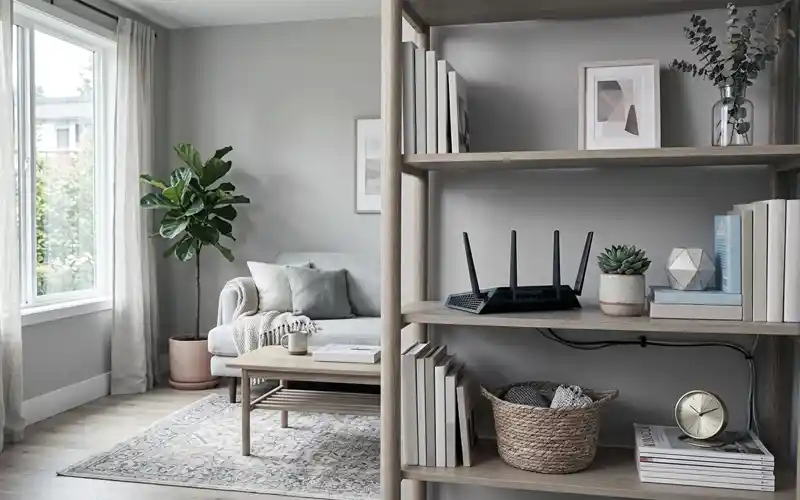
A Wi-Fi router is useful, but it is not always the most attractive thing to have sitting in the middle of your living room. With cables, lights, antennas, and a boxy design, it can easily make an otherwise neat space look cluttered.
The good news is that you do not have to choose between a clean-looking room and a strong internet connection. There are several ways to hide router in living room spaces while still giving the device enough airflow and room to send a wireless signal.
The main idea is simple: hide the router from direct view without completely covering it. Decorative furniture, artwork, open shelves, and carefully chosen storage can all help. Before choosing an option, however, it is important to understand how the hiding method can affect Wi-Fi performance.
What to Consider Before You Hide Your Router
Keep the Router in an Open Location
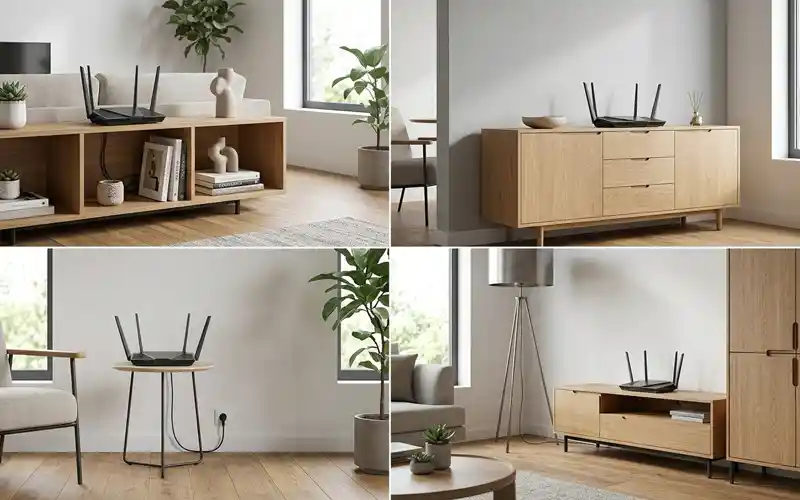
One of the easiest rules to follow is to avoid completely enclosing the router. An open shelf, console area, or ventilated furniture space is generally more suitable than a closed drawer.
You can make the router less noticeable by placing decorative items around it rather than directly on top of it. This gives you a cleaner appearance while leaving the device enough open space to work properly.
Choose an Elevated Position
Where possible, keep the router above floor level. A shelf, cabinet top, or suitable wall position can be better than placing the router directly on the floor.
An elevated position can also make it easier for the wireless signal to reach different areas of the room. The ideal height still depends on your home’s layout, so you should test the connection after moving the router.
Leave Space Around the Router
Do not push the router tightly against the back or sides of furniture. Leave enough room around the device for air to move freely.
The router should also remain accessible. You may eventually need to restart it, connect another cable, read the indicator lights, or press a button. A hiding method should make the router less visible, not impossible to reach.
Avoid Metal and Thick Obstructions
Metal can be particularly troublesome around wireless equipment. For this reason, a metal container or enclosed metal cabinet is not a good choice for hiding a router.
Thick furniture and dense materials can also create obstacles between the router and your devices. When selecting a hiding place, think about the path between the router and the areas where you normally use Wi-Fi.
Creative Ways to Hide Router in Living Room
There are many creative ways to hide router in living room spaces without putting the device inside a sealed container. The best option depends on your furniture, wall layout, and personal decorating style.
Instead of trying to make the router completely disappear, consider making it blend into the room. A carefully placed shelf, decorative object, artwork, or console can make the router much less noticeable while keeping it in a suitable position.
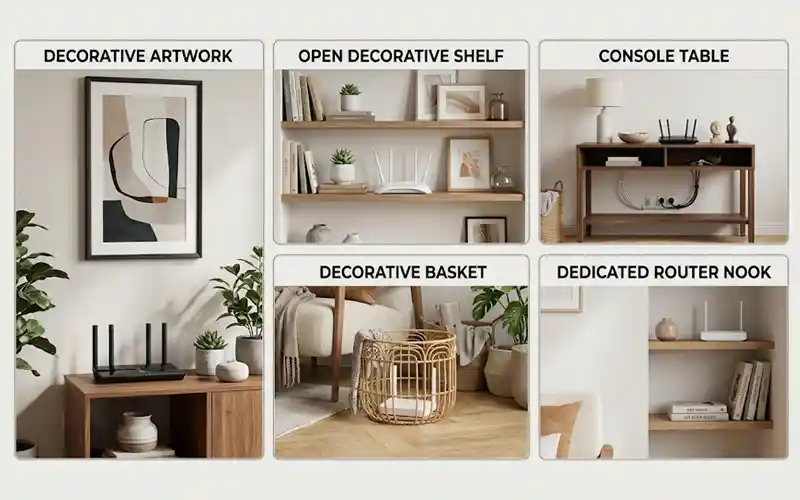
Hide the Router Behind Decorative Artwork
Using artwork is one option when the router is positioned near a wall or shelf. A decorative frame can draw attention away from the router and help it blend into the surrounding décor.
However, the artwork should not create a sealed compartment around the device. Leave open space where needed and avoid placing a thick frame directly against the router. The goal of hide router artwork ideas is to disguise the equipment visually without blocking its airflow or wireless coverage.
You can also choose artwork that matches the colors and style of your living room. This makes the router area look intentional instead of looking like a collection of cables and electronics.
Use an Open Decorative Shelf
An open shelf can provide a simple place for your router while giving you plenty of decorating options. You can position books, small plants, frames, or other objects nearby to make the router less noticeable.
The important part is to avoid surrounding the router with so many objects that air and signal paths become restricted. Leave some open space around the device and avoid stacking items directly over it.
Blend It Into a Console Table
A console table can be useful when your router is currently sitting on the floor or beside the television. The router can sit on a lower or upper shelf while the table provides a place to organize cables.
Use cable clips or cable-management channels to keep power and Ethernet cables neat. This can make a bigger visual difference than covering the router itself.
If the table has doors, make sure the router is not trapped inside a tightly closed compartment. An open shelf or ventilated section is usually a better choice.
Use a Decorative Basket
A decorative basket can be useful for reducing the visual impact of a router, especially when it has open sides or a woven design.
Do not place the router inside a completely solid basket or tightly wrap it with fabric. The openings should allow heat to escape and give the wireless signal a clearer path.
Before using a basket, check how the router performs from its new position. If speeds or coverage drop noticeably, try a more open design or move the router to another location.
Create a Dedicated Router Nook
If your living room has an unused shelf, corner, or furniture section, you can turn it into a small router area. This keeps the device in one predictable location and makes cable management easier.
Rather than hiding the router behind several objects, keep it slightly separated from the surrounding décor. A small decorative arrangement around the device can make the area look organized without interfering with the equipment.
How to Hide WiFi Router on Wall Without Blocking the Signal
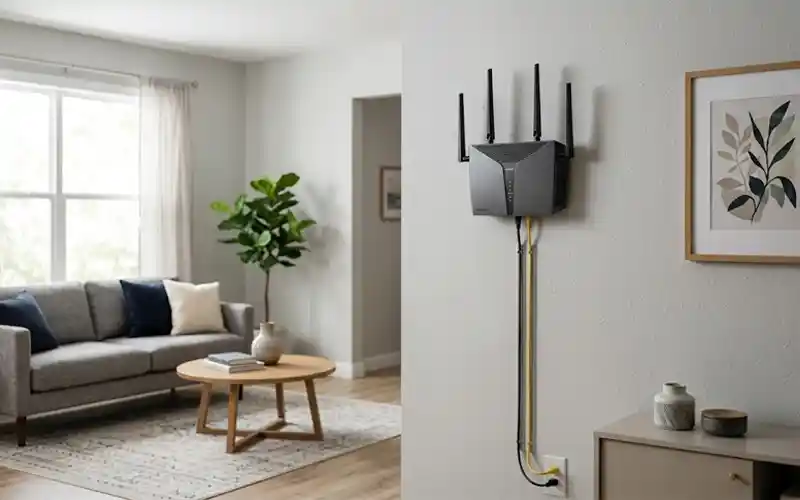
Wall mounting can be a useful option when floor and furniture space are limited. If your router supports wall mounting, placing it on a suitable wall can free up table space and keep cables easier to manage.
When considering how to hide wifi router on wall, avoid putting it directly behind a large solid decoration. A shallow decorative frame or nearby artwork can make the router less obvious while still leaving open space around it.
The wall itself also matters. Avoid locations where the router is surrounded by thick structural materials or placed immediately beside large metal objects. Follow the mounting instructions supplied with your router and make sure the device remains secure.
Keep the power cable and network cable tidy as well. A clean cable route can make a wall-mounted router look much more discreet without physically covering the device.
Creative Ways to Hide WiFi Router in Plain Sight
WiFi Router Storage Box IKEA Ideas
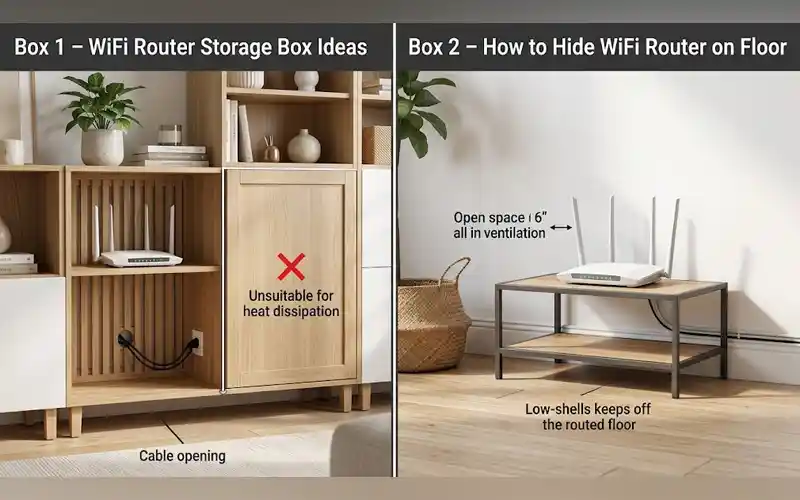
If you are searching for a wifi router storage box IKEA solution, focus on the design rather than simply choosing the first storage box that fits the router.
A closed wooden or plastic box may look attractive, but it can restrict ventilation and create an unnecessary barrier for the wireless signal. An open shelf, slatted design, or furniture piece with generous ventilation can be a safer approach.
You can also use IKEA-style storage furniture to create a dedicated electronics area. Place the router where it has enough open space and route the cables through an appropriate opening.
Before committing to any storage solution, check the router’s temperature and Wi-Fi performance. If the device becomes noticeably hotter or your connection becomes weaker, the enclosure is probably too restrictive.
How to Hide WiFi Router on Floor
When there is no convenient shelf or table, you may wonder how to hide wifi router on floor without creating Wi-Fi problems. The first choice should normally be to find a suitable elevated location instead.
Floor-level placement can leave the router surrounded by furniture, rugs, and other obstacles. It can also make the device easier to accidentally kick or cover.
If the router must remain near the floor, use an open and stable furniture piece that provides ventilation. Keep it away from damp areas, thick rugs, heat sources, and tightly enclosed storage.
A low open shelf can be a better compromise. It keeps the router close to the floor while giving it more open space than a closed box or cabinet.
Common Mistakes to Avoid
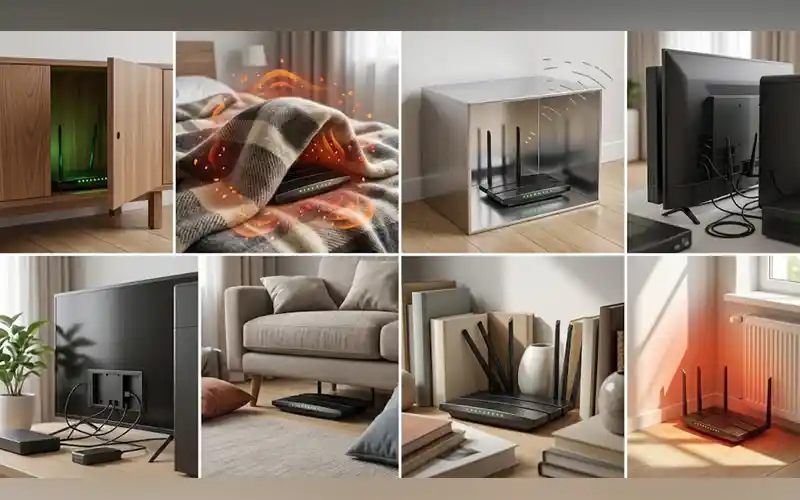
Putting the Router Inside a Closed Cabinet
A closed cabinet can restrict airflow and place additional material between the router and your devices. If you use furniture with storage compartments, an open or ventilated section is preferable.
Covering It With Thick Fabric
A thick blanket, towel, or heavy decorative fabric may look like an easy solution, but it can trap heat. It can also prevent the router from getting the open space it needs.
Using a Metal Box
Metal is generally a poor choice for enclosing wireless equipment. It can interfere with the path of the Wi-Fi signal and may create coverage problems.
Placing It Behind Large Appliances
Large appliances and dense objects can create physical barriers around the router. Avoid hiding the router behind bulky electronics when you have a more open location available.
Hiding It Under Furniture
Putting a router underneath a sofa, table, or other furniture can reduce its exposure and make maintenance difficult. It also places the equipment closer to the floor and potential sources of dust.
Blocking the Antennas
If your router has external antennas, do not fold, cover, or tightly surround them just to make the device look neater. Give them reasonable open space and use the positioning recommended by the manufacturer.
Leaving It on a Hot or Poorly Ventilated Surface
A router should not be placed somewhere that traps heat. Avoid cramped spaces and locations close to radiators, heaters, direct sunlight, or other heat-producing equipment.
How to Check Your Wi-Fi After Hiding the Router
Before changing the router’s location, test your internet connection in a few important areas of the home. Check the living room, nearby rooms, and any location where you regularly stream, work, or browse.
After hiding the router, repeat those checks. You do not necessarily need to compare only one speed-test number. Pay attention to connection stability, loading times, video buffering, and signal strength in different areas.
If the connection becomes weaker, first try making the hiding arrangement more open. You may only need to move a decorative item, open a cabinet door, raise the router slightly, or shift it away from a large obstruction.
Best Router-Hiding Method for Different Living Room Setups
Small Living Rooms
In a small room, an open shelf or compact console is often enough. Since the router does not need to be far from most devices, you can focus on cable organization and making the equipment blend into the furniture.
Large Open-Plan Rooms
Large rooms require more attention to router placement. Keeping the router reasonably central and elevated can be more important than completely hiding it.
Use an open shelf or furniture area that gives the signal room to reach the main parts of the space. If coverage is still poor, consider improving the network rather than forcing the router into a hidden corner.
TV and Entertainment Areas
The area around a television often contains several cables and electronic devices, making it a natural place to organize the router. A media console with an open shelf can keep everything together.
Avoid cramming the router into a small enclosed compartment alongside other electronics. Give it enough space for ventilation and keep unnecessary cables organized.
Rooms With Wall-Mounted Furniture
Wall-mounted shelves can provide a clean location for a router while keeping the floor clear. A nearby picture frame or decorative arrangement can help it blend into the room.
Make sure the shelf can safely support the equipment and that cables are not hanging loosely. Keep the router accessible for maintenance.
Minimalist Interiors
For minimalist rooms, less decoration may actually work better. Instead of surrounding the router with many objects, use a simple shelf and organize the cables carefully.
A router that is neatly positioned can become far less noticeable without needing a complicated hiding system.
Rooms With Limited Shelf Space
If shelf space is limited, look for a suitable wall position or an open area on existing furniture. Even raising the router slightly above the floor can be an improvement over placing it underneath furniture.
Prioritize airflow and coverage before appearance. A simple setup that provides reliable Wi-Fi is more useful than an attractive enclosure that causes connection problems.
Final Thoughts
Finding the right ways to hide router in living room does not mean putting the device inside a completely closed box. The better approach is to reduce its visual impact while keeping the router open, cool, accessible, and reasonably well positioned.
Artwork, open shelving, decorative baskets, console tables, and suitable wall-mounted arrangements can all help. The best choice depends on your room, furniture, and the area your router needs to cover.
Before and after changing the router’s position, check your Wi-Fi performance. If the connection remains stable, you have found a hiding method that works for both your home décor and your internet needs.
Frequently Asked Questions
1. What is the best way to hide a Wi-Fi router in a living room?
An open shelf, console table, or ventilated furniture area is usually a good choice. You can place décor around the router to make it less noticeable while keeping enough space for airflow and Wi-Fi signals.
2. Can I hide my router inside a cabinet?
You can, but a completely closed cabinet is not the best option. It can restrict airflow and create obstacles for the Wi-Fi signal. If you use a cabinet, choose one with an open back, vents, or other ways for heat and signals to escape.
3. How can I hide a WiFi router on the wall?
You can mount the router on a suitable wall and use nearby artwork, a picture frame, or simple décor to make it blend into the room. Leave the router’s vents and antennas clear so they are not covered by the decoration.
4. Can I hide a router behind artwork?
Yes, but avoid placing the router inside a tightly closed frame or directly behind a thick solid piece. A better approach is to position artwork near the router or use a design that leaves enough open space around the device.
5. Is it okay to hide a WiFi router on the floor?
It is possible, but an elevated position is usually better. If the router has to stay near the floor, keep it on an open stand or low shelf instead of placing it under furniture, inside a box, or underneath a rug.
6. Can I use a storage box to hide my WiFi router?
Yes, if the box has enough ventilation and does not heavily surround the router with solid material. Open, slatted, or perforated storage options are generally more suitable than completely sealed boxes.
7. How can I hide a router without blocking the Wi-Fi signal?
Keep the router in an open and reasonably central location, preferably above floor level. Use nearby furniture or décor to hide its appearance instead of completely covering the device. After moving it, check your Wi-Fi in different rooms to make sure coverage has not dropped.
8. How can I hide a WiFi router in a bedroom?
An open nightstand, shelf, or small piece of ventilated furniture can help hide a router in a bedroom. Avoid closed drawers and cramped spaces, especially if the router also needs to provide coverage to other parts of the home.